Troubleshooting Spellbound & Shelved
Launch-week bugs players actually hit — and the reloads that clear them.
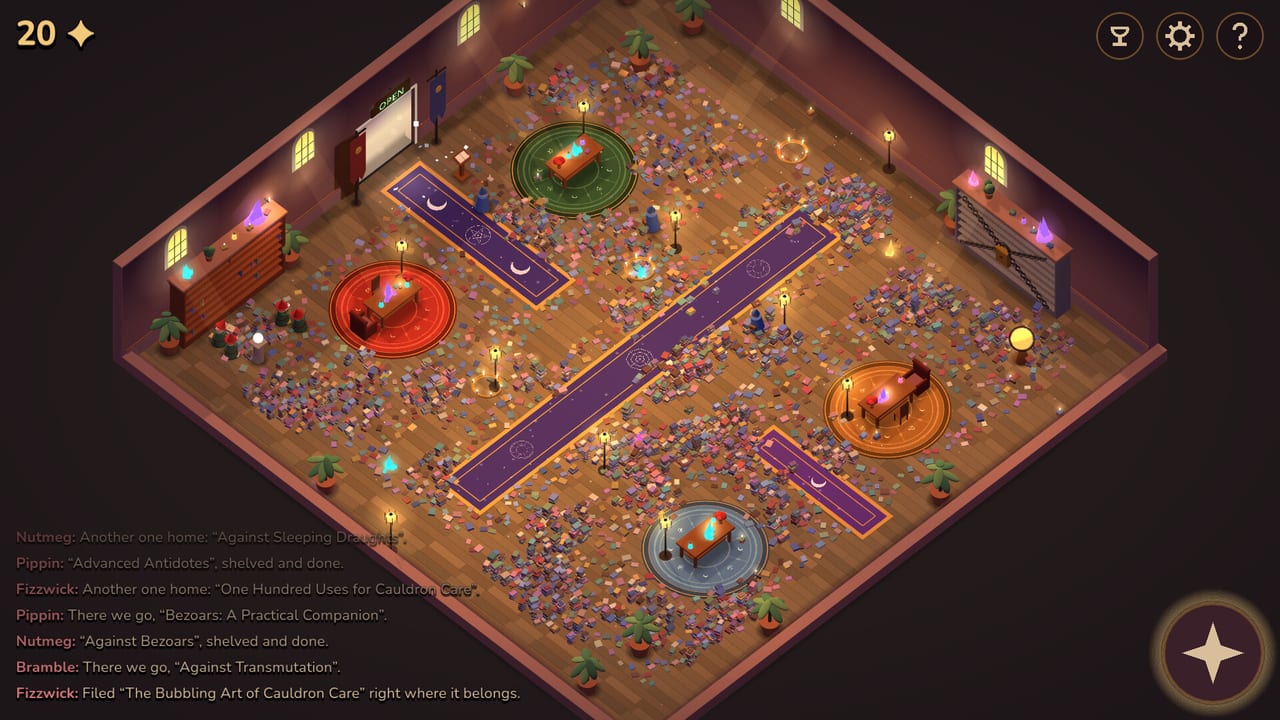
Spellbound & Shelved is a small free idle, and launch-week Steam reviews already document a handful of real snags. This page is the repair desk. It is not a rumor mill. Every item below appears in more than one player report or in the store’s own systems list. Pair it with How to Play if you still need the HUD, and with achievements if the trophy icon is the thing that will not light.
There is no official patch notes post in Steam news for app 5097840 yet. Until needmoar.games publishes one, save-and-reload is the community workaround.
Gnomes run off the map
Several Positive reviews describe hats leaving the isometric library: running out the OPEN door, walking off the wooden floor, or falling out of the camera. Named victims in the jokes include Fizzwick, Bramble, and Pippin. Another report says workers “disappear or run off the screen” and only return after a save and reload.
What to do:
- Save. The game lists save-anytime.
- Quit to the title screen or fully close the client.
- Continue the save. Missing hats typically reappear in the room.
- If you were OPEN, consider flipping CLOSED so the remaining crew can tidy without a new visitor wave. Policy: door-sign strategy.
Do not assume a vanished gnome is fired. Do not start a New Game unless you wanted a reset. The gnome roster still applies; the bug is pathing, not a secret ending.
Hats stuck in place
A related report: gnomes freeze, then later unstick on their own. If a stack is wedged against a chained wing or a circular rug, wait a moment, pep-talk if the click still works, or save-reload if the freeze lasts. Pep-talks are optional and explained in tips. A freeze is not a combat stun.
Last book will not leave the floor
Players hunting the finale — no books left on the boards — have seen a volume that will not file. One review said they quit out to reset a stuck book and then completed the trophy. Another could not pop the last achievement even though “no gnome had anything to do anymore.”
Checklist before you rage-buy more upgrade leaves:
- Pan the camera (bottom-right compass) around every rug and the chained wall. A cover can sit in a corner the log is not naming.
- CLOSED. Visitors will keep unshelving if the plaque is OPEN.
- Save, quit, reload. This has unstuck a book for at least one 100% attempt.
- Confirm you actually unchained enough wings for the remaining titles to have a slot.
If the log is silent and the mosaic still shows one rectangle, it is almost certainly the stuck-book bug, not a missing secret reader.
The 90-minute / speedy trophy
Reviews mention a speedy achievement and frustration that all achievements in 90 minutes felt tight. One player cleared a first attempt with 26 seconds to spare — language that sounds like a timer, not a metaphor. We will not invent the exact trophy name until Steam’s full 30-row list prints it in-game. Practical advice: play a walkthrough with CLOSED-majority time, skip cosmetic web leaves, and do not farm Cats for gold during the last thousand books.
If 90 minutes already passed, finish the library anyway. The finale and the speed trophy are not the same checkbox.
Performance and input
The system requirements are low: 2 GB RAM, 500 MB disk, OpenGL 3.3-class GPUs, mouse required, 64-bit only. If the client will not launch, you are usually on 32-bit Windows or a machine below those floors, not on a missing code. There is still no redeem box — see codes.
Touch Only and Mouse Only are Steam accessibility flags. If clicks miss upgrade nodes, zoom the web (mouse wheel) before you assume a broken UI.
What is not a bug
- CLOSED stopping gold. That is the design.
- Tips fading. That is It Rolled Under a Shelf.
- Readers unshelving. That is why they pay.
- A second run feeling identical. Replayability is thin; the review says so on purpose.
When a real patch lands, it will show up in Steam news and on our updates hub. Until then, save often. The hats are trying. Sometimes they just walk off the academy.
Frequently Asked Questions
Quick answers for the idle library.
How do I get a gnome back after it runs off the screen?
Save, quit, and reload the run. Multiple Steam reviews say missing hats return after that. Roster: gnomes.
Why will the last book not shelve?
It may be stuck. Pan the camera, stay CLOSED, then save-quit-reload. Finale notes: achievements.
Is there a patch for these bugs yet?
Steam news for app 5097840 was empty when we checked. Watch the updates hub.